


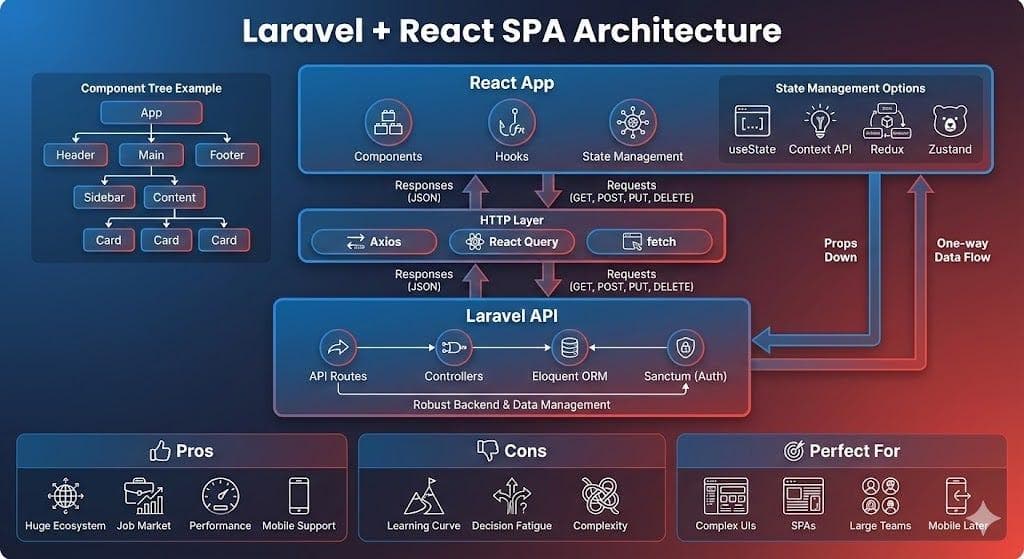
Nucleus and this portfolio provide a concrete Laravel and React architecture to examine. Nucleus owns the database, content editing, authentication, and API rules. Its administration interface uses React with Inertia. The public portfolio is a separate React application built with Next.js, and reads published content through Nucleus's public API.
This article follows a blog post from storage to the reader, showing where queries, background work, caching, and verification belong. It describes the implementation rather than presenting an unmeasured load test: there is no request-per-second claim or production latency improvement attached to these design choices.
Choose the boundary before choosing an optimization
There are two frontend relationships here. The React admin runs within Laravel's Inertia request flow and uses web-session authentication. The public Next.js site uses HTTP API reads and never connects directly to the database. A mobile companion uses a separate authenticated management API.
React/Inertia admin → Laravel validation → repository → database
                                                       ↓
                                published-content API response
                                                       ↓
                                     Next.js server fetch/cache
                                                       ↓
                                          public React page

Content model change → queued webhook → expire Portfolio cache
Nucleus is a modular monolith, with domains such as Blog, Course, Project, and Finance in one Laravel application. Separate frontend deployments do not make those backend modules microservices. The useful boundary is ownership: the CMS decides which record is public; the website decides how that record is presented.
Make publication part of the query contract
A blog post stores its title, slug, HTML body, category, status, publication timestamp, and SEO extras. The Laravel model uses Status::ACTIVE for published posts. Its public service filters records through active() and loads the relationships needed by the reader.
This excerpt reflects the collection query in PortfolioApiService::getBlogs(), with the optional category filter omitted:
$query = Post::with([
    'thumbnail',
    'featureImage',
    'attachments',
    'category.attachment',
    'tags',
])->latest()->active();

return $query->get();
Eager loading avoids fetching a category or image relationship separately for every row when serializing the collection. It does not guarantee a fast endpoint: response size, query count, indexes, and storage latency still need observation. See Laravel's eager-loading documentation for the relationship mechanics.
The current public blog collection returns the full published set. That is convenient for a small portfolio, but it is not a pagination strategy for a large publication. Splitting summary lists from detail bodies, and adding bounded pagination, would be a contract change that requires both backend and frontend work.
Keep validation and writes in Laravel
Normal CMS post writes pass through a Form Request and the existing repository. The request checks fields such as the title, category, status, and images. The repository handles the row, tags, and attachment lifecycle. A browser's TypeScript types are useful for development; they cannot replace server validation.
Post creation uses a database transaction. File storage remains an external side effect, so the repository tracks newly stored paths for cleanup if creation fails. That distinction matters whenever a feature combines a database row with uploaded media: rolling back SQL does not automatically remove a file.
API serialization is another explicit boundary. Sending raw Eloquent models makes new fields easy to expose accidentally. Every addition should be checked for its public meaning; private reviewer emails, credentials, and internal notes have no place in a showcase response. Resource classes or a carefully reviewed allowlist are useful when that contract becomes harder to control.
Understand what the queue actually owns
The blog editor can submit embedded images. ProcessPostEditorBody converts editor images into attachments, rewrites their URLs, and saves the resulting HTML. The ordinary web editor queues that job; some API workflows explicitly process it synchronously.
A queued save can therefore return before the final body is available. A stopped worker affects visible content, not just background performance. Laravel's scheduler and a queue worker serve different purposes: the scheduler can launch work, while the worker consumes queued jobs. The local project's test configuration isolates this work from production integrations.
On a deployed Laravel application, these commands help inspect definitions and failures without replaying jobs:
php artisan schedule:list
php artisan queue:failed
Neither command proves that pending jobs are being consumed. Check the actual queue backlog, worker execution, and a specific saved record. Retry a failed job only after understanding its error and confirming that replay is safe. Laravel documents worker lifecycle and retry behavior in its queue guide.
Fetch published content on the Next.js server
The portfolio's shared fetch configuration opts into hourly caching in production and uses the portfolio-data tag. Development uses cache: "no-store". The following excerpt is the production fetch option, rather than a full data-fetching function:
const response = await fetch(PORTFOLIO_API_ENDPOINTS.all, {
    next: {
        revalidate: 3600,
        tags: ["portfolio-data"],
    },
});
This project uses Next.js 16's fetch-based caching model without Cache Components enabled. Cache behavior should be selected explicitly and checked against the installed version's documentation. A cached public read reduces repeated CMS requests; it does not make an admin update instantly visible by itself.
The server passes the fetched data into the React provider as initialData. The provider only performs its initial browser fetch when that data is absent. That avoids requiring every visitor to wait for a second request before seeing the main content. Interactive state, such as filters or dialogs, still belongs in client components.
Invalidate the cache without exposing its secret
Portfolio-facing Laravel models use SyncsPortfolioCache. Created, updated, and deleted events queue RevalidateCache, which sends the configured webhook secret in a request header. The Next.js route verifies the header before expiring the shared tag.
The relevant line in the authenticated route handler is:
revalidateTag("portfolio-data", { expire: 0 });Immediate expiration is useful for an external CMS webhook when the next read should fetch fresh data. It differs from stale-while-revalidate behavior. The Next.js reference explains that distinction. The secret must stay in server configuration on both applications; it does not belong in a public environment variable or browser request.
Freshness has several failure points: the body job, the queue consumer, the webhook request, the CMS response, and the rendered page. A successful editor notification checks only part of that chain. Compare an identifiable body change at the CMS API and then in the public HTML.
Preserve URLs and handle failures honestly
Public blog routes include both an ID and a slug. The ID identifies the record, and a stale slug redirects permanently to its canonical URL. An unpublished or nonexistent post should not become an empty article with a successful response.
Distinguish an upstream outage from a real missing record. The course detail fetch already makes that distinction: a CMS 404 means absent content; other unsuccessful responses throw so a temporary failure is not cached as a false missing course. The aggregate portfolio fetch currently catches errors and returns null, which means its callers need particular care when interpreting empty results.
Measure and verify before claiming scale
Start with the complete request path. Record response bytes, database query count, uncached response time, cached response time, and the time between a CMS edit and fresh public HTML. Repeat with representative content volumes. Those observations tell you whether to optimize a query, split a payload, adjust cache granularity, or change hosting.
Release checks should include a private draft remaining private, a published detail page containing its body in initial HTML, a stale slug redirect, an unknown ID returning the expected missing state, readable code blocks, working media, and rejection of an unauthenticated cache webhook. These checks establish behavior; they do not establish a traffic capacity.
The architecture's practical advantage is that each problem has an owner. Content and permissions belong in Nucleus. Public rendering and SEO belong in Portfolio. Cache freshness crosses the boundary and must be verified at both ends. That gives a small application a clear path for improvement without assuming it already needs Redis, independent services, or horizontal scaling.