


Laravel Docker Lessons · Lesson 8
Install Composer 2 in the Laravel PHP container, build dependencies from composer.lock and understand Docker vendor volumes and platform checks.
This written tutorial follows the actual lesson-8 source snapshot. The written guide is ready before the video recording.
Continue from Lesson 7, or browse the complete blog.
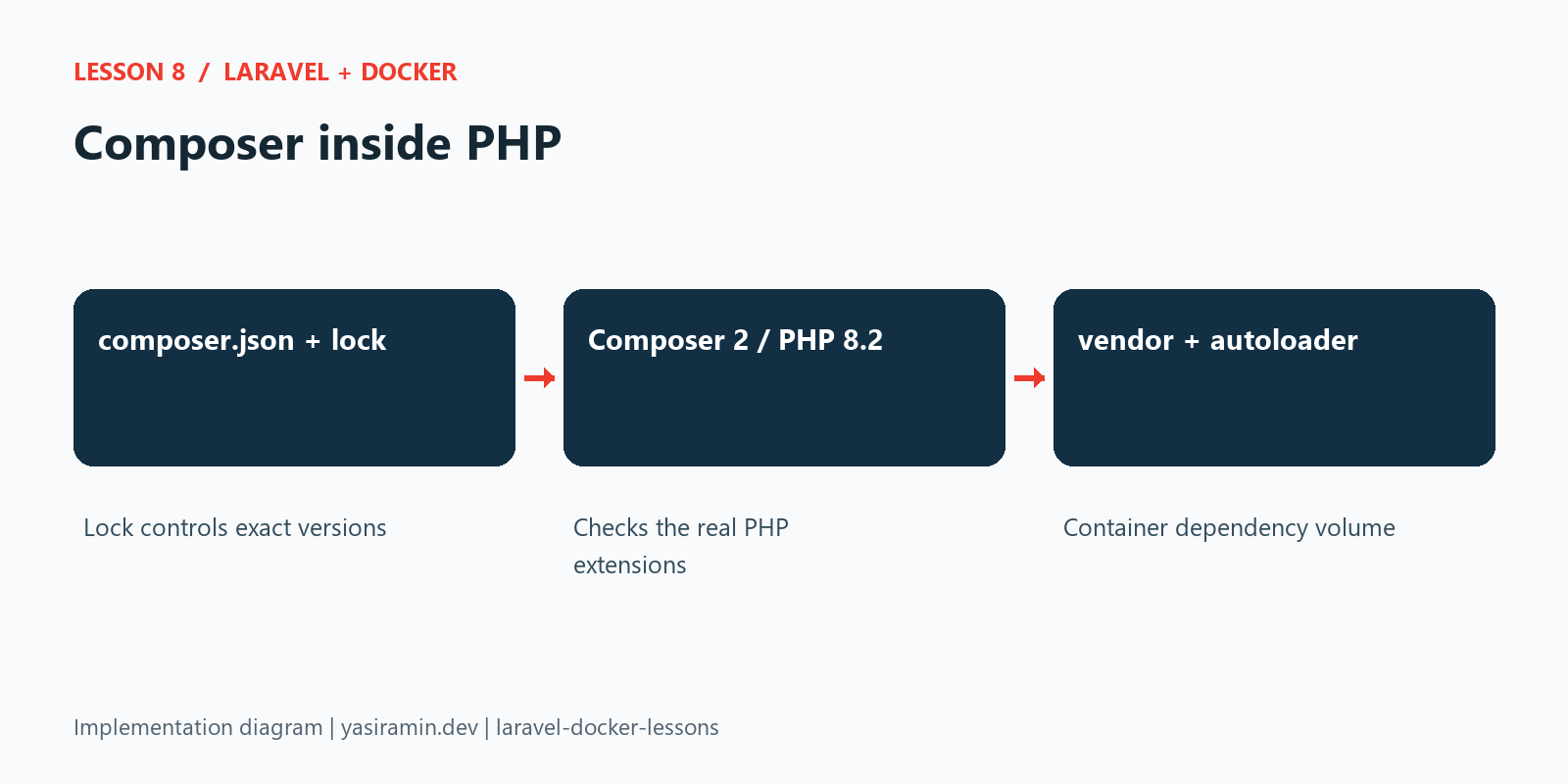
The PHP container now contains Composer 2 and installs PHP dependencies from the committed composer.lock during its image build. A new checkout no longer needs host PHP or host Composer to populate vendor. The existing PHP 8.2-FPM image still supplies the real PDO, PCNTL and MongoDB extensions against which Composer checks requirements.
Complete file checklist before running commands
This lesson modifies Dockerfile, .dockerignore and phpunit.xml. Keep the inherited base Compose and locked Composer files. The full implementation blocks below show their exact contents. Composer runs inside PHP after this change; a host Composer installation is not required for the container example. Apply the original-tag Composer cache ownership correction already shown in the recording section before demonstrating dependency changes.
| File | Action from the previous lesson | Exact source |
|---|---|---|
.dockerignore | Update the existing file; full code included | View complete file |
Dockerfile | Update the existing file; full code included | View complete file |
phpunit.xml | Update the existing file; full code included | View complete file |
docker-compose.yaml | Keep the inherited file; inspect the exact snapshot | View complete file |
composer.json | Keep the inherited file; inspect the exact snapshot | View complete file |
.docker/nginx/default.conf | Keep the inherited file; inspect the exact snapshot | View complete file |
Use the committed lock files from the same tag. They are download/source links rather than abbreviated code samples: composer.lock, package-lock.json.
Recording preparation and follow-up checks
The original lesson-8 image creates Composer's download cache as root. Before demonstrating dependency changes as www-data, correct ownership of that cache. Lesson 9 and current main include this correction in their Dockerfile.
docker compose exec --user root web chown -R www-data:www-data /tmp/composer
docker compose exec web composer check-platform-reqs
docker compose exec web composer install --no-interaction --prefer-dist
Host PHP and Composer are unnecessary for the container Composer example. Frontend compilation still uses host Node at this tag; Node/npm move into Docker in Lesson 9.
Before recording, follow the recording checklist and PowerShell preflight. Current main excludes generated bootstrap config cache and public/hot from Docker build context. For historical tags, clear old host config cache before rebuilding and renew PHP runtime volumes so earlier database settings are not reused.
Copy the official Composer binary
The Dockerfile copies /usr/bin/composer from the official composer:2 image into the PHP image. We copy the executable, not the Composer image's PHP runtime. The image sets COMPOSER_HOME=/tmp/composer for the unprivileged runtime user.
It copies the application source, runs composer install --no-interaction --prefer-dist --optimize-autoloader, and gives www-data ownership of vendor, storage and bootstrap/cache. This is the tutorial development image, so test and development dependencies are intentionally included. We use install to honor the lock file, rather than resolving new package versions with update.
.dockerignore now excludes vendor, so a Windows host dependency directory cannot overwrite container-built Linux dependencies. Environment files, node_modules and publishing output remain excluded. Composer's root-user acknowledgement is scoped to the build command; PHP services still run as www-data.
Bootstrap a fresh checkout
Check out the lesson-8 tag. Copy .env.example to .env only when the file does not already exist. Preserve an existing key and private settings. On Windows PowerShell use Copy-Item .env.example .env; on a fresh Unix checkout use cp .env.example .env.
docker compose build web
docker compose run --rm --no-deps web php artisan key:generate
docker compose up -d --renew-anon-volumes db web nginx
docker compose exec web php artisan config:clear
docker compose exec web php artisan migrate --force
docker compose exec web composer --version
docker compose exec web composer check-platform-reqs
The one-off key:generate command writes the application key into the bind-mounted .env. It does not require MySQL. Do not generate a new key for an existing installation. Frontend compilation still uses host Node.js at this tag; Lesson 9 moves that tooling into Docker.
Understand the dependency volume
The source bind mount .:/var/www/html is convenient for editing. A separate anonymous /var/www/html/vendor volume prevents it from hiding the image's dependencies. A fresh volume is populated from the image. An old volume retains old contents after an image rebuild, so --renew-anon-volumes is important when recreating PHP services after dependency changes.
Recreate any optional worker or scheduler you actually run with the same flag. This renews their anonymous runtime directories; it does not remove MySQL's named dbdata or PostgreSQL's pgdata. Container storage/log files are tutorial runtime data and should be copied out before renewal if needed.
Run Composer in the container
docker compose exec web composer install --no-interaction --prefer-dist
docker compose exec web composer show mongodb/laravel-mongodb
docker compose exec web php artisan test
For an intentional dependency change, run docker compose exec web composer require vendor/package with the actual package you need. Review and commit both composer.json and composer.lock, then rebuild the image and renew PHP dependency volumes so every service uses the same versions. This sample command names a placeholder; no extra package is required by this lesson.
Do not use --ignore-platform-reqs to hide a missing extension. Add the real extension to the Dockerfile. Keep private Composer credentials outside the repository and image; this lesson uses public packages only.
Stop the stack
docker compose downOmit -v to retain named database data. You can apply the same Composer-enabled image to the standalone PostgreSQL file or MongoDB override from the earlier lessons, keeping their respective Compose arguments.
How the implementation fits together
Configuration and source code
The following files are read directly from this lesson’s Git tag. Later lessons add further capabilities; they do not change this snapshot.
Dockerfile
FROM php:8.2-fpm

WORKDIR /var/www/html

RUN apt-get update && apt-get install -y \
    libzip-dev \
    libpq-dev \
    unzip \
    && docker-php-ext-install zip pdo_mysql pdo_pgsql pcntl \
    && rm -rf /var/lib/apt/lists/*

RUN pecl install mongodb-1.21.2 \
    && docker-php-ext-enable mongodb

COPY --from=composer:2 /usr/bin/composer /usr/local/bin/composer
ENV COMPOSER_HOME=/tmp/composer

COPY --chown=www-data:www-data . /var/www/html

RUN COMPOSER_ALLOW_SUPERUSER=1 composer install --no-interaction --prefer-dist --optimize-autoloader \
    && chown -R www-data:www-data vendor storage bootstrap/cache \
    && chmod -R 775 storage bootstrap/cache
.dockerignore
.git
.env
.env.*
!.env.example
node_modules
vendor
output
.phpunit.cache
database/*.sqlite*
storage/logs/*
storage/framework/cache/data/*
storage/framework/sessions/*
storage/framework/views/*
docker-compose.yaml
x-laravel-environment: &laravel-environment
  DB_URL: ""
  DB_SOCKET: ""
  DB_CONNECTION: mysql
  DB_HOST: db
  DB_PORT: 3306
  DB_DATABASE: laravel_app
  DB_USERNAME: root
  DB_PASSWORD: root
  QUEUE_CONNECTION: database
  DB_QUEUE_RETRY_AFTER: 90

x-laravel-service: &laravel-service
  build:
    context: .
    dockerfile: Dockerfile
  image: my-laravel-app
  working_dir: /var/www/html
  user: "www-data"
  volumes:
    - .:/var/www/html
    - /var/www/html/vendor
    - /var/www/html/storage
    - /var/www/html/bootstrap/cache
  environment:
    <<: *laravel-environment
    SCHEDULER_DEMO_ENABLED: "false"
  depends_on:
    db:
      condition: service_healthy

services:
  web:
    <<: *laravel-service

  scheduler:
    <<: *laravel-service
    profiles: ["scheduler"]
    init: true
    command: ["php", "artisan", "schedule:work", "--no-interaction"]
    restart: unless-stopped
    environment:
      <<: *laravel-environment
      CACHE_STORE: file
      SCHEDULER_DEMO_ENABLED: "true"

  worker:
    <<: *laravel-service
    profiles: ["queue"]
    init: true
    command: ["php", "artisan", "queue:work", "database", "--queue=emails", "--sleep=1", "--tries=3", "--timeout=30", "--max-time=3600", "--no-interaction"]
    restart: unless-stopped
    stop_grace_period: 45s

  nginx:
    image: nginx:latest
    ports:
      - "${APP_PORT:-8080}:80"
    volumes:
      - .:/var/www/html:ro
      - ./.docker/nginx/default.conf:/etc/nginx/conf.d/default.conf:ro
    depends_on:
      - web

  db:
    image: mysql:8.0
    environment:
      MYSQL_ROOT_PASSWORD: root
      MYSQL_DATABASE: laravel_app
    ports:
      - "${DB_FORWARD_PORT:-3308}:3306"
    volumes:
      - dbdata:/var/lib/mysql
    healthcheck:
      test: ["CMD-SHELL", "mysqladmin ping -h 127.0.0.1 -p\"$${MYSQL_ROOT_PASSWORD}\" --silent"]
      interval: 5s
      timeout: 5s
      retries: 20
      start_period: 20s

volumes:
  dbdata:
phpunit.xml
<?xml version="1.0" encoding="UTF-8"?>
<phpunit xmlns:xsi="http://www.w3.org/2001/XMLSchema-instance"
         xsi:noNamespaceSchemaLocation="vendor/phpunit/phpunit/phpunit.xsd"
         bootstrap="vendor/autoload.php"
         colors="true"
>
    <testsuites>
        <testsuite name="Unit">
            <directory>tests/Unit</directory>
        </testsuite>
        <testsuite name="Feature">
            <directory>tests/Feature</directory>
        </testsuite>
    </testsuites>
    <source>
        <include>
            <directory>app</directory>
        </include>
    </source>
    <php>
        <env name="APP_ENV" value="testing" force="true"/>
        <server name="APP_ENV" value="testing" force="true"/>
        <env name="APP_MAINTENANCE_DRIVER" value="file"/>
        <env name="BCRYPT_ROUNDS" value="4"/>
        <env name="BROADCAST_CONNECTION" value="null"/>
        <env name="CACHE_STORE" value="array" force="true"/>
        <server name="CACHE_STORE" value="array" force="true"/>
        <env name="DB_CONNECTION" value="sqlite" force="true"/>
        <server name="DB_CONNECTION" value="sqlite" force="true"/>
        <env name="DB_DATABASE" value=":memory:" force="true"/>
        <server name="DB_DATABASE" value=":memory:" force="true"/>
        <env name="DB_URL" value="" force="true"/>
        <server name="DB_URL" value="" force="true"/>
        <env name="MAIL_MAILER" value="array" force="true"/>
        <server name="MAIL_MAILER" value="array" force="true"/>
        <env name="QUEUE_CONNECTION" value="sync" force="true"/>
        <server name="QUEUE_CONNECTION" value="sync" force="true"/>
        <env name="SESSION_DRIVER" value="array" force="true"/>
        <server name="SESSION_DRIVER" value="array" force="true"/>
        <env name="PULSE_ENABLED" value="false"/>
        <env name="TELESCOPE_ENABLED" value="false"/>
        <env name="NIGHTWATCH_ENABLED" value="false"/>
    </php>
</phpunit>
Verification performed
The image installed all locked PHP dependencies without copying host vendor. Composer 2.10.3 ran inside PHP 8.2.34, every composer check-platform-reqs requirement passed, and composer install completed successfully as the www-data runtime user.