


Laravel Docker Lessons · Lesson 2
In Lesson 1, Laravel ran in a single PHP 8.2 + Apache container. Lesson 2 adds a separate MySQL 8.0 database service, enables Apache rewriting and tightens the virtual-host directory configuration. This walkthrough uses the committed files and separates configured infrastructure from Laravel's current database selection.
Use the correct lesson snapshot
This article documents the lesson-2 GitLab tag. The repository is currently private, so viewing it requires authorized access. Its commit is 189d6836d37046f066137c2211d2fa1a81c6ccda.
To inspect it without changing your current lesson checkout, create a separate Git worktree:
git fetch origin --tags
git worktree add --detach ../docker-laravel-lesson-2 lesson-2
cd ../docker-laravel-lesson-2
Prepare the host dependencies with composer install, npm ci and npm run build. For a fresh checkout, copy .env.example to .env and generate a local key with php artisan key:generate. The Dockerfile does not install Composer or Node.js. Review the database connection explicitly before running migrations.
1. Two services and two different port mappings
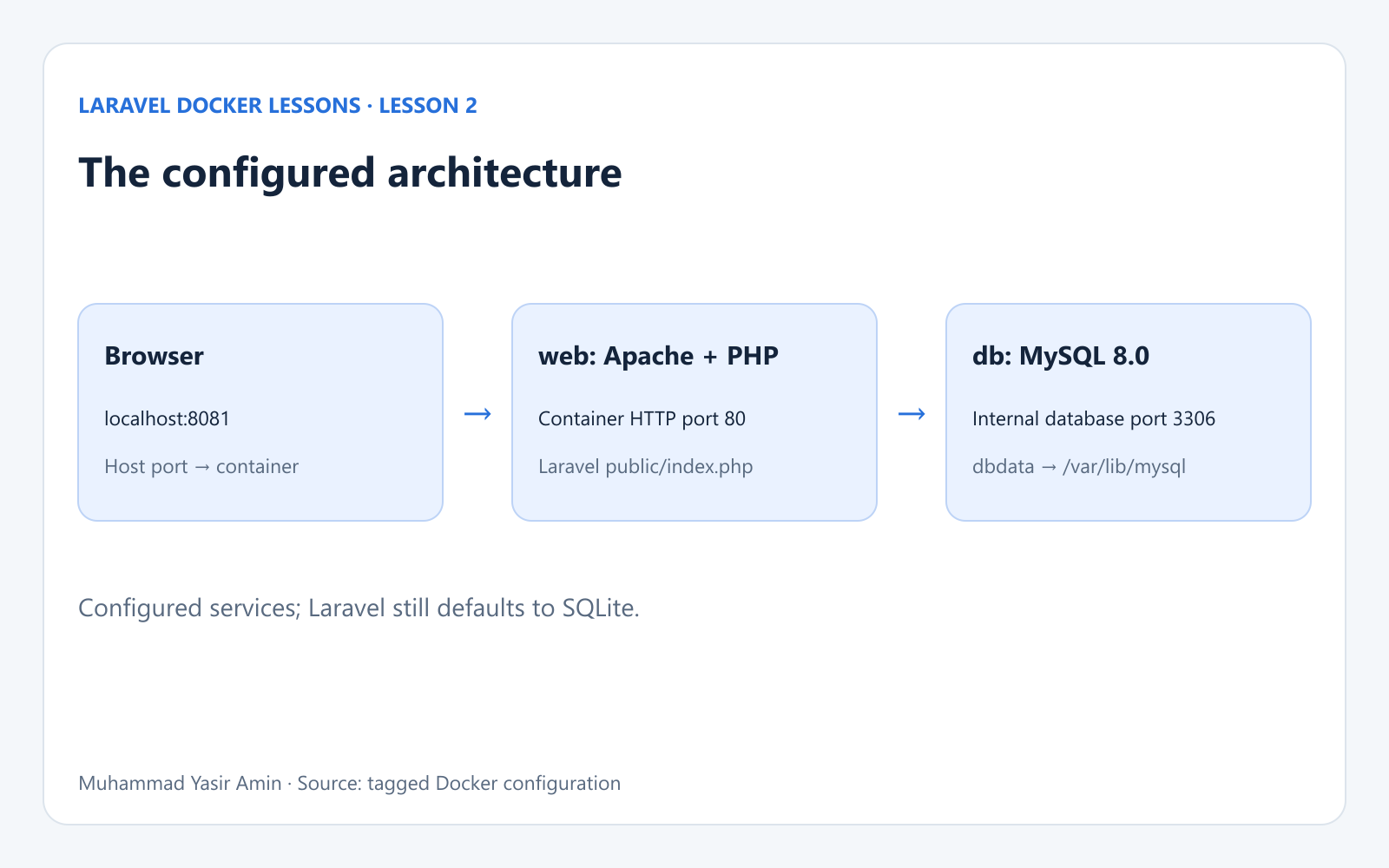
The web service still combines PHP and Apache. HTTP enters at localhost:8081 and reaches Apache on port 80. The new db service runs MySQL on container port 3306 and publishes host port 3307 for local clients. Compose supplies service-name resolution on its default network.
2. The Apache Dockerfile
FROM php:8.2-apache

WORKDIR /var/www/html

RUN apt-get update && apt-get install -y \
    libzip-dev \
    unzip \
    && docker-php-ext-install zip pdo_mysql

RUN a2enmod rewrite

COPY . /var/www/html

RUN chown -R www-data:www-data /var/www/html
RUN chown -R www-data:www-data /var/www/html/storage /var/www/html/bootstrap/cache
RUN chmod -R 775 /var/www/html/storage /var/www/html/bootstrap/cache
The base remains php:8.2-apache. ZIP and pdo_mysql are installed, and RUN a2enmod rewrite is new. Laravel's public/.htaccess uses rewriting to route requests to its front controller. The ownership and writable-directory instructions remain. The earlier EXPOSE 80 line was removed; the Compose port mapping still publishes HTTP.
3. The complete Compose file
services:
  web:
    build:
      context: .
      dockerfile: Dockerfile
    image: my-laravel-app
    ports:
      - "8081:80"
    volumes:
      - .:/var/www/html
      - /var/www/html/storage
      - /var/www/html/bootstrap/cache
      - ./.docker/apache/default.conf:/etc/apache2/sites-enabled/000-default.conf
    working_dir: /var/www/html
    user: "www-data"
    depends_on:
      - db
  db:
    image: mysql:8.0
    environment:
      MYSQL_ROOT_PASSWORD: root
      MYSQL_DATABASE: laravel_app
      MYSQL_PASSWORD: secret
    ports:
      - 3307:3306
    volumes:
      - dbdata:/var/lib/mysql
volumes:
  dbdata:
The obsolete top-level version field is removed. depends_on: db starts the database service before the web service, but there is no health check or readiness condition. MySQL may still be initializing when Laravel first connects. Check database logs before treating a connection error as a credentials problem.
The project bind mount and anonymous storage and bootstrap/cache volumes remain. The Apache configuration is mounted into /etc/apache2/sites-enabled/000-default.conf. The new named dbdata volume is independent of those anonymous Laravel volumes.
4. Apache serves only the public directory
<VirtualHost *:80>
    ServerAdmin webmaster@localhost
    DocumentRoot /var/www/html/public

    <Directory /var/www/html/public>
        AllowOverride All
        Require all granted
    </Directory>
</VirtualHost>
The directory block now targets /var/www/html/public, matching DocumentRoot, and explicitly grants access with Require all granted. AllowOverride All permits the project's .htaccess rules. PHP and Apache still run together; no Nginx service exists in this tag.
Database settings: distinguish the container from Laravel
The committed .env.example still sets DB_CONNECTION=sqlite. Adding a MySQL container does not automatically change Laravel's database connection. The inspected local checkout also selects SQLite. The repository therefore demonstrates the MySQL service configuration, but does not establish that Laravel has switched to MySQL.
For a deliberate local MySQL connection, the values below are derived from the Compose service. They are a suggested private .env change, not a committed configuration or a verified migration:
DB_CONNECTION=mysql
DB_HOST=db
DB_PORT=3306
DB_DATABASE=laravel_app
DB_USERNAME=root
DB_PASSWORD=root
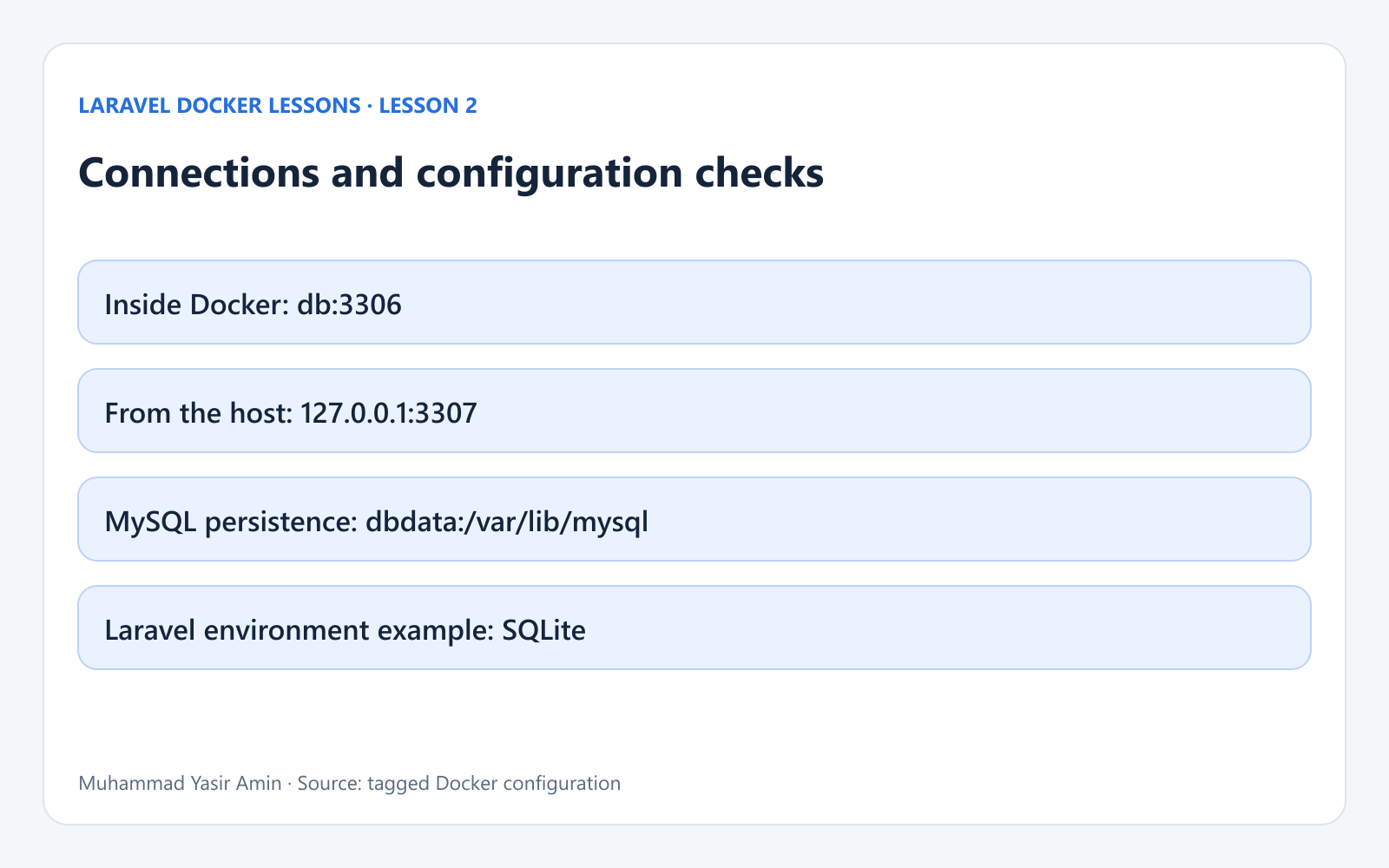
Inside the web container, db:3306 is the database endpoint. A host-side database client instead uses 127.0.0.1 and the published host port. The Compose sample uses the root password root. Its MYSQL_PASSWORD: secret does not create a separate application user because MYSQL_USER is absent. These are local example credentials, not production credentials.
After intentionally configuring MySQL and confirming it is ready, run docker compose exec web php artisan config:clear, then docker compose exec web php artisan migrate. Migrations create the application tables in the selected database; they do not transfer existing SQLite records. The database-backed session, cache and queue defaults also need their tables in the selected connection.
The named dbdata volume stores MySQL data at /var/lib/mysql. Initialization variables apply when the data directory is first initialized; changing Compose values does not reset an existing database. Preserve this volume when stopping the stack.
5. Start and inspect this lesson
docker compose config
docker compose up -d --build
docker compose ps
docker compose logs --tail=80 db web
docker compose exec web apache2ctl -t
docker compose exec web php -m
Use http://localhost:8081 for HTTP and 127.0.0.1:3307 for a host-side MySQL client. The PHP module check should include pdo_mysql before attempting a MySQL connection. These are reproduction and diagnostic commands derived from this tag; this review did not start the Lesson 2 stack or migrate a database.
Run lessons separately. Lesson 2 and Lesson 3 both name their application image my-laravel-app; rebuilding one can replace the local tag used by the other. Their unqualified Compose commands also use the checkout directory as the project name. Keep track of which checkout, image and volumes you are using.
What this lesson adds
Lesson 2 introduces a database container, persistent MySQL storage, service networking and explicit Apache rewrite support. The committed environment example still chooses SQLite. A production deployment would need its own credentials, database-access policy and operational configuration; those are not supplied by this lesson.
Continue with Lesson 3: Laravel with Nginx, PHP-FPM and MySQL in Docker. Visit the course for the published video lessons as they are added.
References
The tagged project files are the source of truth. Supporting behavior is documented in Docker Compose startup order, the official MySQL image, Laravel database configuration and Nginx FastCGI configuration.